Changing Your Password
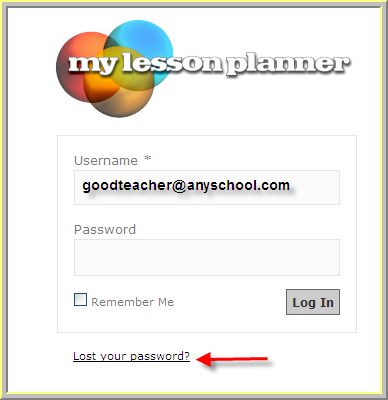
My Lesson Planner requires a password to log in to your account. The default password when you are just getting started is usually "teacher" and you will want to change that password to a more secure password the first time you log in. And, if you lose your password, we make is easy and fast to get a replacement temporary password.
Set up Time: 1 minute
Changing your Password
To change your password, hover your mouse over the Quick Links menu option located at the top-right of your page, and then select Manage Account.
Scroll down on the first page until you see the password blanks. (the scroll bar is within the page, just under Account Information.
Type a new password in the top and bottom blank boxes. If they do not match, you will get an error message to retype your password.
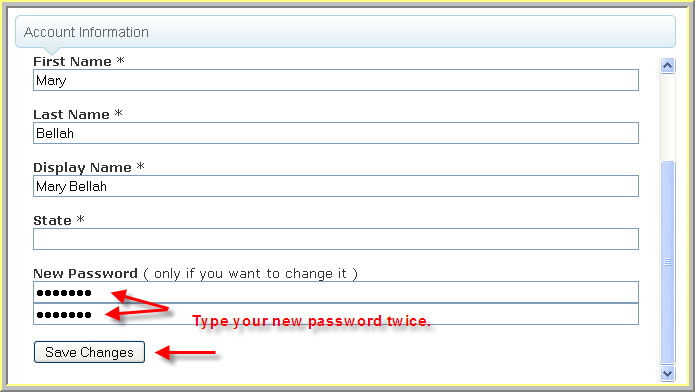
If you have successfully typed in your current password, and if your new password has been typed into both boxes, and they match, then a message will indicate that your profile updated successfully.
If you have any problems or forget your password, just use the link below the log in form to request a new temporary password to be securely sent to you via email.